

Why Eye Contact Matters in Online Chats
In video chats, your eyes tell a story before your words do. Direct eye contact builds trust, increases perceived competence, and makes the other person feel seen. Looking into the camera — not your preview window — simulates real-life connection and reduces awkward pauses. For a broader perspective on attention and camera fatigue, see Stanford’s findings on Zoom fatigue.
That’s exactly why short 1-on-1 video chats often build connection faster than endless matching and texting. If you want the full reasoning, read: Why 1-on-1 Video Chat Beats Match Sites
“Think of the camera as your friend’s eyes. Speak to it, not to your reflection.”
Camera Setup Do’s & Don’ts
**Do:**
- Use a soft key light facing you — it brightens your eyes and makes eye contact feel alive. If you want a simple setup that makes you look sharper on any call, use this checklist: Video Call Setup (2025)
**Don’t:**
- Lock an unbroken gaze without blinking or nodding — it feels confrontational.

Tricks to Keep Eye Contact Natural
- Apply the 80/20 rule: 80% eye contact, 20% natural breaks.
Quick Practice Plan
- Before important calls, place an anchor near the camera and rehearse a “smile with your eyes.”
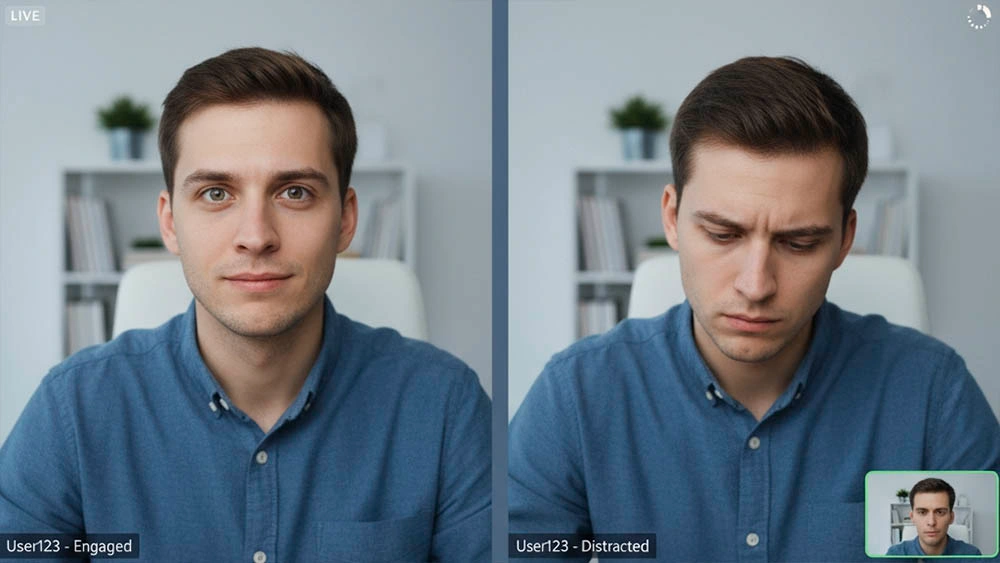
Bringing It All Together: Eye Contact That Feels Natural
Eye contact in video chats isn’t about staring — it’s about sharing focus. With a proper camera setup, natural breaks, and consistent practice, your digital presence feels warm, confident, and human.
Once you can hold warm, natural eye contact, it becomes much easier to suggest a short call without it feeling awkward. Here’s a low-pressure way to do it: Ask for a Video Call
Platform Nuances You Should Know
Zoom, Meet, and FaceTime handle preview windows differently. On desktop, shrink your self-view and park it right under the lens to minimize eye drift. On mobile, flip the phone to landscape, prop it at eye level, and keep the front camera on the same horizontal line as your gaze. If you wear glasses, soften screen glare by lowering monitor brightness and placing a diffuse light source slightly off-axis—your pupils stay visible and the “connection” feels more human.
Reading the Other Person Without Staring
Natural eye contact isn’t a staring contest. Watch for micro‑signals: tiny eyebrow raises, a half‑smile when you hit a story beat, a subtle inhale when they want to jump in. Give space: glance away to think, then return to the lens when you punch the key point. This rhythm mirrors in‑person talk and reduces the robotic “locked stare” effect.
Troubleshooting Checklist (Quick Notes)
If your eyes still drift, try taping a tiny arrow next to the lens or use a magnetic lens hood. If you feel stiff, rehearse three sentences with a smile—you’ll hear it in your voice and see it in your eyes. If anxiety kicks in, breathe out longer than you breathe in; it relaxes facial tension so your gaze looks warm, not forced.
Practice: Micro-Exercises for Natural Eye Contact
Skill builds fast when you rehearse tiny reps. Use these micro-exercises to keep gaze natural without staring at yourself or drifting to the preview window.
- Camera Post-it: place a tiny dot next to the lens and glance to it during key lines. It simulates real eye contact while keeping your expression relaxed.
- 10–3–1 Rule: speak ten seconds looking at the lens, three seconds glancing at the screen to read cues, then one second reset. This prevents the “serial killer stare”.
- Warm Start: begin each call with a simple opener prepared in advance. A familiar first sentence reduces cognitive load and steadies your gaze. If you prefer a softer first step, a short voice note can warm things up before video. Use: Voice Notes Etiquette.
Want to get the mindset right before important calls? Read our guide on mindset shifts that boost confidence and pair it with these drills. Consistency turns techniques into muscle memory.